- 1.83" square colour touchscreen
- Take calls from the wrist
- Heart rate · sleep
Most dead watches turn out to be a flat battery or dirty charging pins, not broken hardware. Work through the fixes in order, from the cable to a reset, before you think about repair.
Sales checked September 2026Clean and dry the pins, seat the magnetic cable on a laptop or wall-adapter port and leave it for at least 30 minutes. Then give the side button a long press to force a restart. Still dark, or stuck on a white screen? Reset it through the app, and if that fails, contact the maker under warranty.
A FitPro smart watch not turning on is almost always out of power or out of contact. The charging pins are tiny, the magnets are weak and a thin film of dried sweat is enough to stop current. Treat it like a warm-up: start with the simple moves.
If the screen lights but the watch dies within hours, the battery is holding little charge. Note how long it lasts from full, then check the warranty before buying anything.
| Symptom | Likely cause | First fix |
|---|---|---|
| Black screen, no buzz on the charger | Flat battery or no contact at the pins | Clean the pins, reseat the magnets, charge for 30+ minutes |
| Charging icon flickers on and off | Dirt, a weak magnet or the wrong pin spacing | Wipe both sides, check the spacing, try the reversed polarity |
| White or frozen screen | Firmware hang or a display fault | Long-press restart, then a reset from the app |
| Screen stays dark until tapped | Raise-to-wake off or a short screen-on time | Turn on raise to wake and lengthen the screen-on time |
| Steps missing from short walks | Step filter, a still wrist or no sync | Walk 20+ steps at a time, swing the arm, open the app to sync |
| No sleep recorded | Loose fit, a short night or a night outside the sleep window | Wear it snug, sleep 3+ hours, check the window the watch uses |
| No message alerts | App closed in the background or alerts switched off | Allow notifications and keep the app running in the background |
Causes and fixes follow the watch makers' own notes on charging, step counting and sleep tracking, September 2026.
Two-pin magnetic cables look alike, but they are not interchangeable. If a new or borrowed cable does nothing, the pin spacing or the polarity is the likely culprit, not the watch.
Bands with a built-in USB plug, like the ZURURU Y39, skip the cable. Push the plug fully into the port; if nothing happens, clean the plug's contacts and try another port.
Keep the original cable labelled. Once a watch charges again, that cable is the reference for every spare you buy later, and the charger guide lists the pin types in detail.
One more check: sweat left on the contacts during charging corrodes them over time. Rinse the watch after training, dry it, and only then put it on the cable.
The FitPro smart watch white screen problem looks alarming: the display lights up blank white, or freezes on one face, and taps do nothing. Most of the time the firmware has hung, and a restart brings it back.
A white screen that returns after a reset, or lines and dead patches on the display, point to hardware. So does a touch screen that ignores taps while the buttons still work. Water is a common trigger: most of these watches are IP67 or IP68, which covers rain and hand-washing, and the KIPTUMTEK T7's notes rule out swimming and hot showers.
The button and reset steps for each menu are laid out in the user manual guide.
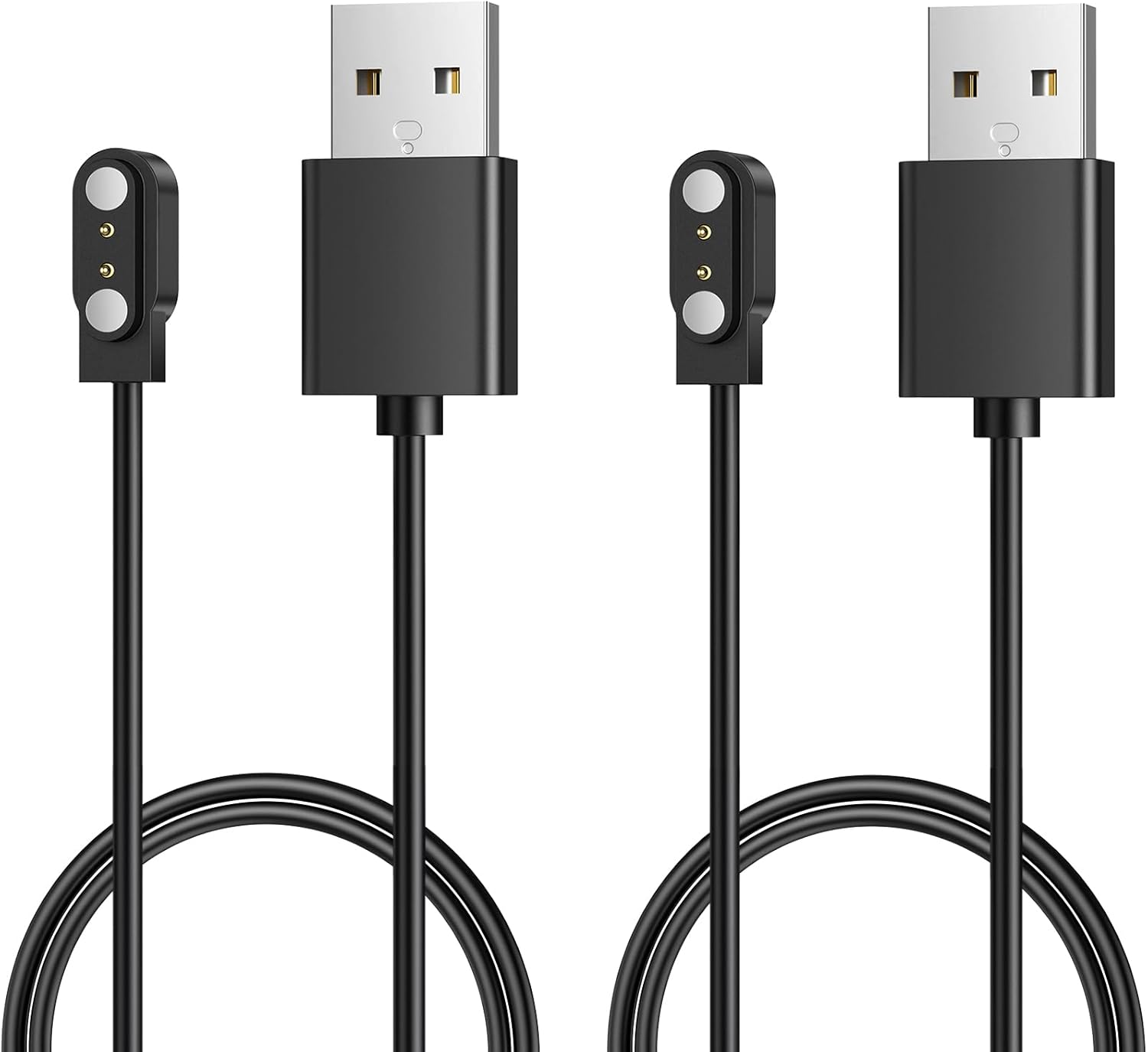
Two magnetic cables with 2.8mm spacing and opposite polarity, labelled model A and model B, so one of them charges a FitCloudPro watch whose contacts are wired the other way round. Short-circuit, over-voltage and over-current protection are built in.
Strap it onA FitPro smart watch not counting steps is usually filtering them on purpose. The TRAUSI TG08, DIVOAZBVO TK29 and Jacoosa TG38 all start recording only after 20 steps, so short trips across the kitchen never reach the total.
The step sensor reads your arm swing, so anything that keeps the wrist still hides steps:
Set the wearing hand in the app if it offers the option, wear the watch snug above the wrist bone and open the app once a day so the watch syncs. Still short on steps? Restart the watch and check that the date and time are right, because a wrong clock files steps under the wrong day.
Sleep has its own rules, and makers spell them out:
Most budget watches are glued shut rather than screwed, so a battery or screen swap at home rarely ends well. Treat FitPro smart watch repair as a warranty job first and a replacement decision second.
Several makers put their warranty in writing:
Read what each warranty covers. aeac names accidental damage outright; where a warranty mentions only defects, a cracked screen after a fall is likely excluded.
Before you get in touch, gather what the maker will ask for:
Out of warranty, a new watch costs little compared with a repair shop's time. Pick one with a charger you already own, so your spare cables keep working, and with a warranty long enough to cover the next season.
Moving to a new watch? Unbind the old one in the app first, then pair the new one; the iPhone and Android pairing guide walks through each step.
Usually the battery is flat or the charging pins are not making contact. Clean the pins, seat the magnetic cable on a laptop or wall-adapter port for 30 minutes, then long-press the side button.
Long-press the side button to restart. If it stays white, let the battery run flat, charge it fully and reset it from the app; a white screen that returns after that needs warranty service.
Many models ignore the first 20 steps of each walk, and a still wrist, from a stroller or treadmill rails, hides steps too. Wear it snug and open the app daily so it syncs.
Not practically. Most cases are glued shut, so battery faults are a warranty matter, and out of warranty a new watch is usually the better buy.
The app has to run in the background with notification access allowed on the phone. Check both, then send yourself a test message.