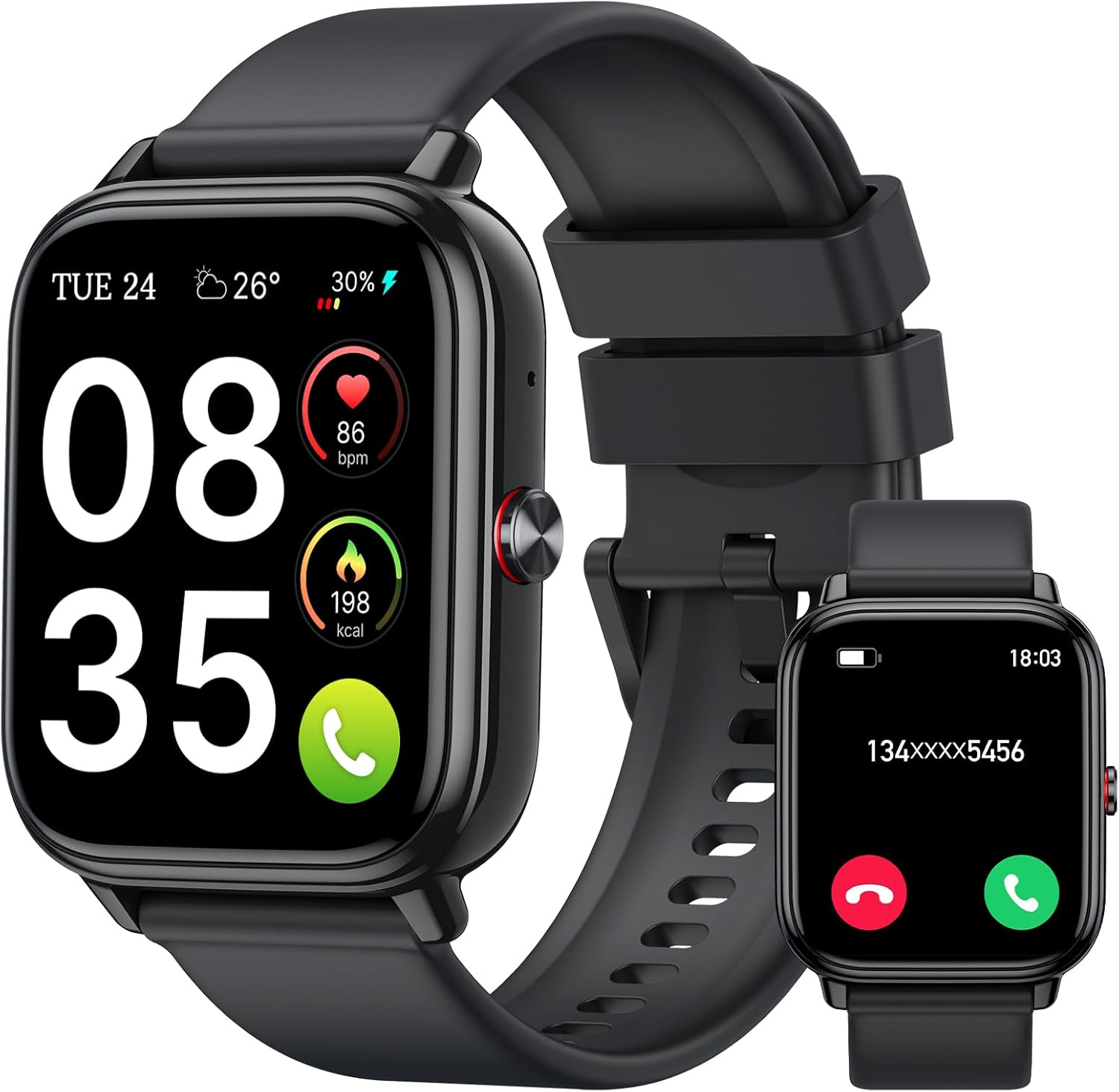
- 1.69" square colour touchscreen
- Heart rate · SpO2 · sleep
- Up to 7 days per charge
The FitPro smart watch app is the free phone companion that stores your steps, sleep nights and heart-rate history and sends watch faces to the wrist. Get it from the official store, pair by QR code or scan, and know when a watch built for a different app is the smarter buy.
Sales checked September 2026Download FitPro free from Google Play or the Apple App Store, turn on Bluetooth, then add the watch inside the app by scanning the QR code on the watch or picking its name from the scan list. The app talks only to watches whose firmware was built for it, so the best app for any watch is the one named on its box or leaflet.
FitPro is a free companion app for budget smart watches and fitness bands, published for Android on Google Play and for iPhone on the App Store. It holds your step history, sleep nights and heart-rate trends, and it is the channel that sends watch faces, alarms and notification switches to the wrist.
Search Google Play or the App Store for FitPro and compare the icon with the leaflet in the box before you tap install. Apps with similar names exist, and one that cannot see your watch wastes a whole warm-up.
The phone does the heavy lifting. The watch collects steps and heartbeats, and the app turns them into weekly charts, goal streaks and sleep scores to review over breakfast.
Once it is installed, move straight to pairing: the step-by-step connection routine covers iPhone and Android separately, including the second link calling watches need.
| Watch | App its maker names | What the app handles |
|---|---|---|
| TORJALPH TJ37 | Da Fit | 200+ watch faces, message alerts, alarms |
| Trendia TG09L | Da Fit | Switches 24-hour heart rate and stress on or off |
| IDW25 Alexa Smart Watch | VeryFit | 100+ faces or your own photo, health sync |
| TOOBUR IDW16 Alexa | VeryFit | Alexa set-up and sleep reports |
| STECEi T50S | GloryFit | 200+ faces and photo wallpaper |
| Tiksounds 1.83-inch | FitCloudPro | Per-app message switches, 200+ faces |
| MorePro Air2 | FitCloudPro | Daily and weekly sleep trends |
| S5 Slim Fitness Tracker | Runmefit | Up to 5 alarms; blood pressure enabled in the app |
| ZURURU Y39 | H Band | Steps, sleep and notifications |
| MOSOKI 2.01-inch | FitPro | 200+ faces, weather, music control |
App names and app features as each watch's maker states them. A watch pairs only with the app its firmware was written for.
Many FitPro-style watches carry a QR code in their own menu, and scanning it is the quickest route from a new box to a first synced step count. The code usually opens the right app download, and on some models the app uses it to find that exact watch.
Where the code lives varies by model. Look in these places first:
Open the phone camera, or the scan button inside the app, and hold the phone about a hand's width from the watch. Turn the watch brightness up if the camera struggles to focus.
After a successful bind, keep the app open for the first sync. It pushes the phone's time and date to the watch, which is why the clock jumps to the right minute; the time-setting routine explains what to do if it does not.
TORJALPH TJ37 Smart Watch |
IDW26 Alexa Calling Smart Watch |
IDW25 Alexa Smart Watch |
STECEi T50S Calling Smart Watch |
Tiksounds 1.83-inch Calling Smart Watch |
MOSOKI 2.01-inch Smart Watch | |
| Type | Smart watch | Smart watch | Smart watch | Smart watch | Smart watch | Smart watch |
| Screen | 1.69" | 1.83" | 1.83" | 1.85" | 1.83" | 2.01" |
| Shape | Square | Square | Square | — | Square | Square |
| Bluetooth calls | — | Yes | Yes | Yes | Yes | Yes |
| Water | IP68 | IP68 | IP68 | IP68 | IP68 | IP67 |
| Battery | Up to 7 days | — | — | Up to 7 days | Up to 20 days | Up to 7 days |
| Tracks | Heart rate · SpO2 · sleep | Heart rate · SpO2 · sleep | Heart rate · sleep | Heart rate · sleep | Heart rate · sleep | Heart rate · sleep |
| App | Da Fit | VeryFit | VeryFit | GloryFit | FitCloudPro | FitPro or H Band |
| Strap it on | Strap it on | Strap it on | Strap it on | Strap it on | Strap it on |
The app may ask you to create a FitPro smart watch login so your history survives a phone swap. Registration normally needs an email address and a password, and the watch keeps counting steps while you sort it out.
Some app versions let you skip sign-up and keep data on the phone, while others ask for an account before pairing. Either way the watch stores recent activity until the next sync, so a missed morning does not erase the walk to work.
If no email arrives, the account may sit under another address, such as an old work email. Try each one before opening a fresh account, because a new account starts your history in the app from zero.
A clean login is worth the five minutes. It keeps months of sleep nights and step streaks attached to you rather than to one handset.
The FitCloudPro app sends more than 200 free faces and lets you choose which apps may buzz the wrist. A 1000mAh battery rated for 20+ days keeps phone and watch in step for weeks without a cable.
Strap it onA watch that pairs but never shows new steps is usually blocked by a phone setting, not a broken sensor. The app needs a handful of permissions to reach the watch in the background, and Android is stricter about this than iPhone.
| Permission | Why the app asks | What breaks without it |
|---|---|---|
| Bluetooth / nearby devices | Finds and talks to the watch | No pairing at all |
| Location (Android) | Older Android versions tie Bluetooth scanning to location | The watch never appears in the scan |
| Notification access | Copies alerts to the wrist | Texts and WhatsApp stay silent on the watch |
| Phone and contacts | Caller names on calling watches | Only numbers show |
| Background activity | Keeps syncing with the screen off | Frequent disconnected messages |
On Android, open the phone's settings, find the app under Apps and set its battery use to unrestricted. Phones from Xiaomi, Oppo, Huawei and others also have an autostart switch that should be on.
With permissions sorted, the dashboard fills itself each time you open it. That is the moment to set a daily step goal and a bedtime window, so the sleep chart has something to measure against. If alerts still skip the wrist, the fixes for a watch that stops tracking go deeper.
A watch speaks only the app its firmware was written for, so installing a different app on the phone will not upgrade an existing FitPro watch. When people talk about a better app, what they are really choosing is a watch from a different app family.
The budget market clusters around a few companion apps, each with its own group of watch makers. In the current line-up the most common app names are:
No app wins on paper alone. Pick the watch for its screen, calls and battery first, then check which app it names, because that app becomes your daily dashboard for years.
Curious about the model numbers behind these watches? The T500, X7 and Y68 decoder links each old name to a current watch, and the watch-face and wallpaper routine shows what each app can put on the screen.
Yes. FitPro is a free download on Google Play and the Apple App Store, and the watch features it unlocks cost nothing extra.
On many FitPro-style watches it sits in the settings menu under QR code, About or Download, and some show it the first time the watch is switched on. Scanning it opens the right app download or starts pairing.
It is possible on Android, but APKs pulled from third-party mirrors are often old builds or altered ones. Install from Google Play so updates arrive automatically.
Tap the forgotten-password link on the login screen and enter the email you registered with; the reset message can land in spam. The watch keeps counting steps meanwhile and syncs once you log back in.
The one its firmware was built for, named on the box or leaflet. Another app will not find the watch, so a different app experience means choosing a watch made for Da Fit, VeryFit, GloryFit or FitCloudPro.