Top watches
1.83-inch square · Bluetooth calls · HaloFit app

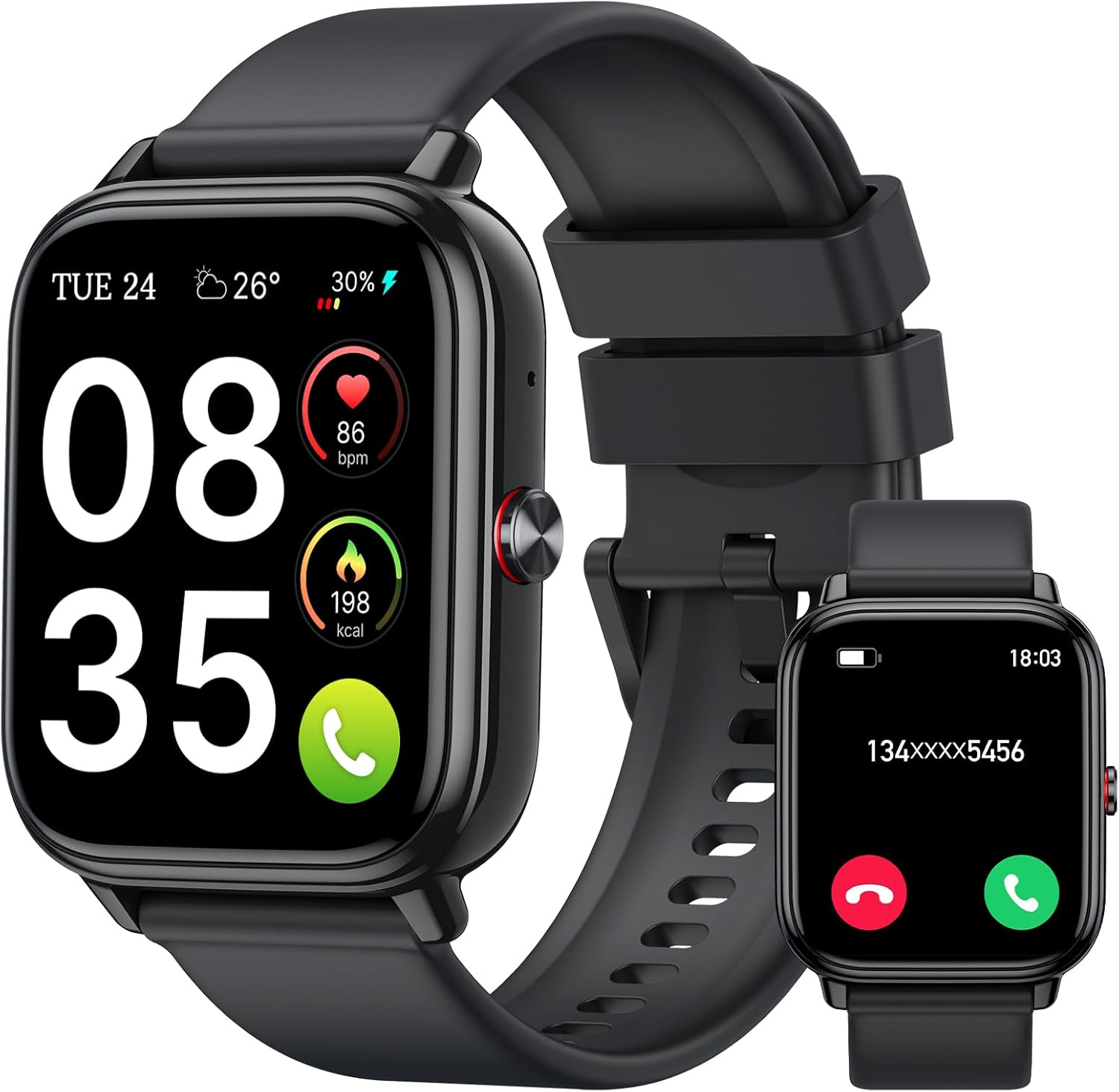
JeeJTek 1.83-inch Calling Smart Watch

A square 1.83-inch calling watch with an AI voice assistant, preset quick replies for Android users, heart-rate and sleep tracking, 100+ sports modes and an IP68 case.

  • Screen1.83-inch HD touchscreen
  • CallsAnswer and make over Bluetooth
  • Quick replyPreset replies, Android only
  • AppHaloFit
  • WaterIP68
  • Battery300mAh, up to 10 days typical (pink)
Great if you
  • You use Android and want to send quick replies from the wrist
  • You want a watch menu in your own language
  • You like photo watch faces on a big square screen
  • You want calls and step goals on a small budget
Skip it if you
  • You use an iPhone and want replies (Android only)
  • You want built-in GPS
  • You want Alexa on the wrist
Strap it on
Colours & bundles

Black or pink JeeJTek

Answer texts with quick replies on the JeeJTek watch

Most budget calling watches let you read a message and nothing more. The JeeJTek 1.83-inch watch goes one step further for Android users: it can send preset quick replies to calls and messages straight from the wrist. On a run or in a meeting, a tap sends a short answer without taking the phone out.

Quick replies work on Android phones only. On an iPhone, the watch still shows messages and takes calls, but replies stay on the phone. That single detail decides who gets the most from this watch.

What the wrist handles:

  • Calls: answer and make calls over Bluetooth 5.3.
  • Quick replies: preset answers such as a short busy message (Android).
  • Voice: an AI voice assistant for calls, music and alarms.
  • Alerts: gentle vibrations for messages, calls and app notifications.

JeeJTek says the call chip uses a noise-cancelling algorithm to cut background noise on the pink version, a help near traffic or loud gym music.

Before the first session: set up two or three quick replies before your first workout, such as a line saying you are training and will call back. That way nobody waits on an answer while your phone sits in a gym bag.

The 1.83-inch screen carries 100+ dynamic faces, and a photo from the phone can become the dial. The menu comes in 19 languages, useful for a gift to someone who prefers their own language on the wrist.

If the watch arrives in another language, the fix takes seconds: press the right button, swipe to the settings icon at the bottom, open the language menu, choose English and tap the tick to confirm.

Spec sheet

Every number on the box

SpecValue
BrandJeeJTek
Screen1.83-inch HD touchscreen, square
Display (pink)TFT-LCD, up to 550 nits
CallsAnswer and make over Bluetooth 5.3
Quick replyPreset replies to calls and messages (Android only)
Voice assistantAI voice assistant for calls, music, alarms
Companion appHaloFit
Watch faces100+ dynamic faces plus photo dials
Languages19
Health trackingHeart rate, sleep; pink adds blood oxygen and stress
Sports modes100+
Water resistanceIP68
Battery300mAh lithium polymer
Battery life (pink)10 days typical, 30 days standby, 3 days of calling
Operating systemRTOS
Storage128 MB
GPSNone
Phone supportAndroid 6.0+ and iOS 10.0+
FirmwareOver-the-air updates through HaloFit

Hit your step goal and sleep target with the JeeJTek

Both versions track heart rate, steps and sleep. The pink version adds blood oxygen and stress monitoring, sleep split into REM, core and deep stages, and menstrual cycle predictions and reminders. Everything syncs to the HaloFit app.

For workouts, 100+ sports modes include cycling, walking, running, football, strength training, yoga and cricket. The pink version can recognise suitable workouts on its own and tracks heart-rate zones, steps, distance and calories.

  • Steps: start from your usual daily total, add a few hundred steps, and raise it every fortnight.
  • Sleep: review the stages each morning and aim for a steady bedtime.
  • Heart-rate zones: keep easy days easy and hard days hard.
  • Reminders: sedentary and rehydration alerts through the working day.
HabitBlackPink
Steps and caloriesYesYes
Heart rateYesYes, with zones
SleepYesREM, core and deep
Blood oxygen and stressNot listedYes
Cycle trackingNot listedPredictions and reminders

There is no GPS on either version, and the watch does not borrow a route from the phone either. Distance on walks and runs comes from step counts, so treat it as an estimate and compare like with like.

Automatic workout recognition on the pink model is handy for brisk walks you forget to start. Still, starting a mode by hand gives cleaner records for planned sessions, with the whole session captured from the first minute.

Wrist readings are for wellness, not diagnosis. The accuracy guide explains how to get steadier numbers.

A simple start works best. Wear the watch for a full week without changing anything, note the average steps and sleep, and only then set targets. Goals built on your own baseline stick far better than round numbers.

In the line-up

Where it stands in the line-up

FitPro smart watch models by type, September 2026. Highlighted: JeeJTek 1.83-inch Calling Smart Watch.

Pair with HaloFit and keep the firmware fresh

The JeeJTek pairs with the HaloFit app on Android 6.0 or later and iOS 10.0 or later, including iPhones and Samsung and LG phones. It runs a lightweight real-time operating system with 128 MB of storage for faces and data.

  1. Give the JeeJTek a full charge.
  2. Install HaloFit and create an account.
  3. Grant Bluetooth and notification access; Android users also approve call and SMS access so quick replies work.
  4. Pair the watch from inside HaloFit.
  5. Say yes to the extra audio pairing so calls reach the wrist.
  6. Choose a face and set your step goal.

Keep the firmware current. JeeJTek notes that a screen that will not turn on after a few days of use comes from a firmware bug, fixed with an over-the-air upgrade: open HaloFit, go to Device, then Device Settings, then OTA Upgrade. If the app will not pair, update HaloFit to its latest version first.

Battery figures for the pink version are 10 days of typical use, 30 days on standby and 3 days of Bluetooth calling from the 300mAh cell. The black version shares the same battery size.

  • Calls drain the battery fastest; plan a charge after a heavy call day.
  • Turn off app alerts you never act on.
  • Lower brightness indoors.

Language, time format and faces are all set from the watch or the app, so a gift can be ready before it is wrapped. Pair it once with your own phone to update the firmware, then unpair it and let the new owner start fresh in HaloFit.

The IP68 rating covers daily water contact such as rain, sweat and hand-washing. For more pairing and reset help, see the pairing steps and the blank-screen and reset fixes.

Swap in

Other watches for the same goal

Alexa on a 1.83-inch square1 IDW25 Alexa Smart Watch
IDW25 Alexa Smart Watch
The IDW25 adds Alexa voice help to Bluetooth calls, synced to VeryFit.
  • 1.83" square colour touchscreen
  • Take calls from the wrist
  • Heart rate · sleep
Strap it on
Same size, calling square2 Coucur Y66 Calling Smart Watch
Coucur Y66 Calling Smart Watch
The Coucur Y66 answers calls on a 1.83-inch screen with an IP68 case.
  • 1.83" square colour touchscreen
  • Take calls from the wrist
  • Heart rate · sleep
Strap it on

Stack the JeeJTek against other 1.83-inch calling squares

The 1.83-inch calling square is a crowded format. The JeeJTek stands out for quick replies on Android, 19 menu languages and a low entry price class. It gives up GPS and a named voice assistant like Alexa.

WatchSizeWhere it wins
JeeJTek 1.83-inch1.83-inch squareQuick replies on Android, 19 languages
IDW251.83-inch squareAlexa built in, VeryFit
Coucur Y661.83-inch squareIP68 calling watch
Tiksounds 1.83-inch1.83-inch squareLonger quoted battery, FitCloudPro

Choose the JeeJTek if you use Android and want to answer messages from the wrist. Choose the IDW25 for Alexa voice help, or the Tiksounds for a longer quoted battery.

Black or pink? Pick the pink if blood oxygen, stress and detailed sleep stages matter; its listed features are fuller. Pick the black if you want the plainer look and only need heart rate and sleep.

Against the Alexa squares, the JeeJTek wins on replies and loses on voice answers. Alexa watches can tell you the weather or set a smart-home scene, while the JeeJTek assistant sticks to calls, music and alarms. Decide which of the two you would use daily and the choice makes itself.

Before you order:

  • Android 6.0+ or iOS 10.0+ on your phone.
  • Quick replies need Android.
  • No GPS: distance comes from steps.
  • IP68 means splashes, not swims.

The two colours are sold as separate models rather than a colour switch on one watch, and their feature lists differ. Read the version label before ordering so the pink's extra sensors do not become an expectation for the black.

For a first smart watch on a tight budget, it covers calls, replies and daily habits without extra fuss.

Warm-up questions

Before you strap it on

Can the JeeJTek watch reply to messages?

Yes, with preset quick replies, but only when paired with an Android phone. On an iPhone it shows messages without replies.

Which app does the JeeJTek watch use?

HaloFit, on Android 6.0 or later and iOS 10.0 or later.

How do I change the JeeJTek watch to English?

Press the right button, swipe to the settings icon at the bottom, open the language menu, choose English and tap the tick to confirm.

My JeeJTek screen will not turn on. What now?

JeeJTek traces this to a firmware bug. Open HaloFit, then Device, Device Settings and OTA Upgrade to update the watch.

Does the JeeJTek watch have GPS?

No. It has no GPS, so distance comes from step counts.