Top watches
1.9-inch square calling watch · SpO2 · IP68 · Da Fit

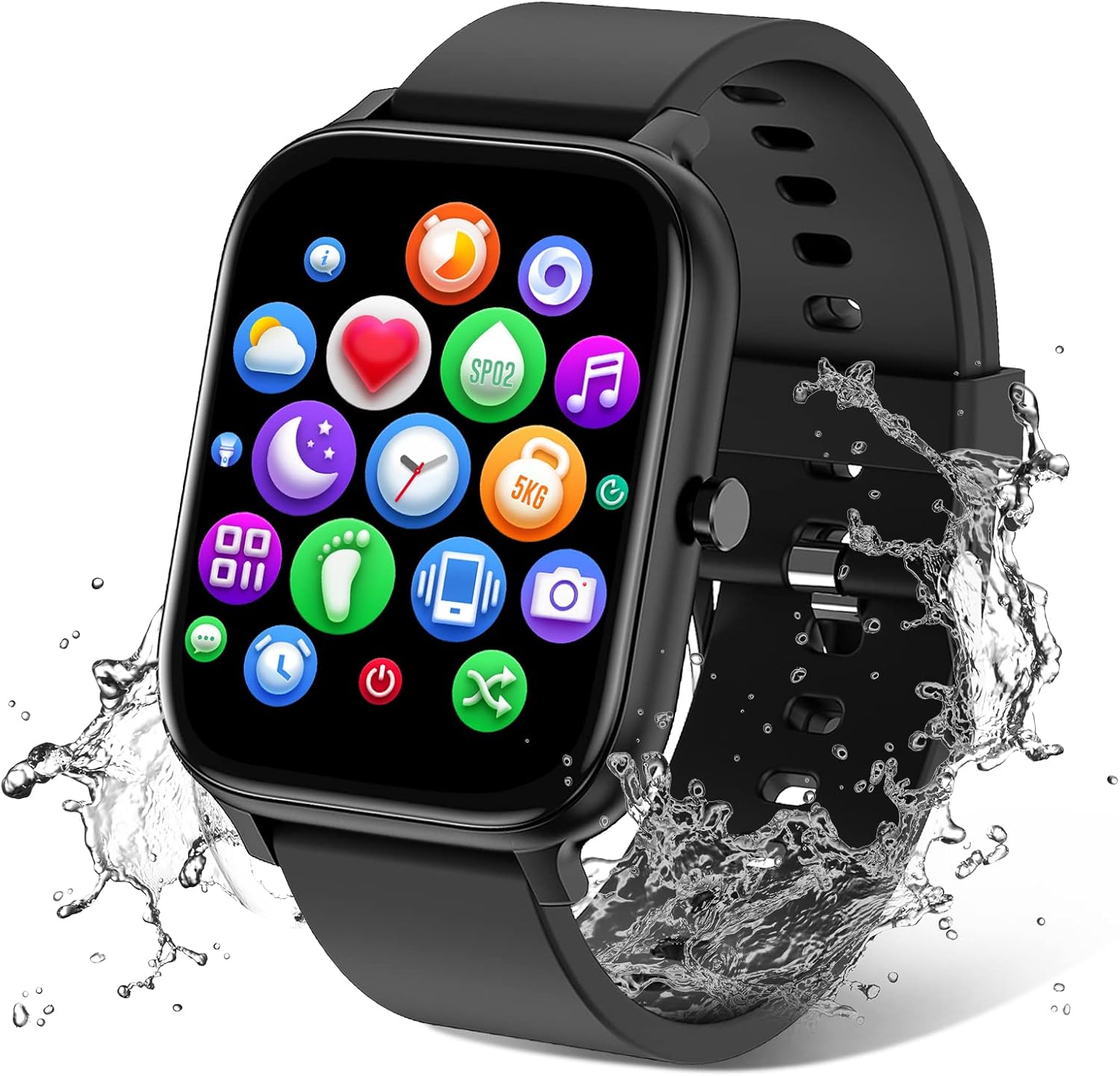
PJYUBVOR 1.9-Inch Calling Smart Watch

A square calling watch with a 1.9-inch, 320 x 386 screen, blood-oxygen and heart-rate tracking, 120+ sport modes and a 350mAh battery rated for 5 to 7 days of normal use.

  • Screen1.9-inch HD LCD, 320 x 386
  • CallsDial, answer, call history, emergency contacts
  • HealthHeart rate, blood oxygen, sleep
  • Workouts120+ sport modes
  • Battery350mAh, 5 to 7 days
  • AppDa Fit
Great if you
  • You want blood-oxygen readings next to heart rate and sleep
  • You like having emergency contacts one tap away on the wrist
  • You want a sharp, large square face at a budget level
  • You already use the Da Fit app
Skip it if you
  • You swim, dive or use saunas: the maker rules those out
  • You want a small, light band for sleeping
  • You need GPS on the watch itself
Strap it on

Keep emergency contacts one tap away on the PJYUBVOR 1.9-inch

The PJYUBVOR 1.9-inch watch treats calling as a safety tool as much as a convenience. Beyond dialling and answering over Bluetooth, it stores emergency contacts and a call history right on the wrist.

Picture an early run on a quiet road with the phone zipped into a belt. If something goes wrong, the contact you need is on the watch face, not buried in a pocket. A built-in HD speaker and microphone carry the conversation while the phone stays put.

Once paired, the watch handles:

  • making calls from the dial pad or saved contacts
  • answering and rejecting incoming calls
  • a call history for missed calls after a workout
  • alerts from SMS, Facebook, WhatsApp, Instagram and Twitter
Coach's tip: add two emergency contacts on the first evening, before you need them. Then test one call on the walk to the car, so you know how the volume and microphone behave outdoors.

The screen is the other reason people pick this model. The 1.9-inch LCD runs at 320 x 386 pixels, a sharper grid than many 1.8-inch budget watches, so text messages and contact names read cleanly. A do-not-disturb mode and adjustable brightness keep it calm at night.

Controls are simple. Swipe the touchscreen through the menus and use the side button to wake the face or return home, which helps with sweaty fingers mid-workout.

Why does a bigger, sharper screen help a fitness habit? Because the numbers you can read at a glance are the numbers you act on. A step total that is easy to see at 3pm is often the nudge that turns a lift ride into a stair climb.

Wrist calls work best for short check-ins. The phone still carries the connection, so keep it within Bluetooth range, and for a long catch-up hand the call back to the handset.

Spec sheet

Every number on the box

SpecValue
Display1.9-inch HD colour touchscreen (LCD)
Resolution320 x 386
ShapeSquare
ControlsTouchscreen plus side button
CallingMake and answer calls, call history, emergency contacts
NotificationsSMS, Facebook, WhatsApp, Instagram, Twitter
Health tracking24-hour heart rate, blood oxygen (SpO2), sleep (deep, light, awake)
Sport modes120+, including running, hiking, cycling, skipping, yoga, basketball
Activity trackingSteps, calories, distance
Daily toolsTimer, stopwatch, alarm, find phone, sedentary reminder, music control, weather, do not disturb, camera control, cycle tracking
Water resistanceIP68 (rated depth 1m); not for swimming, seawater, hot water or bathing
Companion appDa Fit
Watch faces200+ in the app, photo faces supported
Storage128MB
Battery350mAh lithium polymer
Charging and battery lifeAbout 2 hours to charge; 5 to 7 days normal use, 30 days standby
GPSNone built in
Phone supportAndroid 4.4+ and iOS 9.0+
StrapSilicone with buckle, 22cm long
In the boxWatch, charging cable, strap, user manual

Add a morning SpO2 and sleep check with the 1.9-inch PJYUBVOR

Heart rate, blood oxygen and sleep are all tracked here, and together they make a good morning ritual. Glance at last night's sleep, take a blood-oxygen reading, and you have a quick sense of how ready you are to train.

The watch monitors heart rate through the day and splits sleep into deep, light and awake time. Blood oxygen (SpO2) sits next to those readings, a figure most people see in a steady band day to day. Treat it as a wellness trend, not a medical measurement.

A simple readiness routine:

  1. Wake up, stay seated, and check last night's sleep split.
  2. Take an SpO2 reading while still and relaxed.
  3. Note the resting heart rate on the face.
  4. If sleep was short and the resting number is up, swap a hard session for a walk.

120+ sport modes for the rest of the day

More than 120 sport modes cover running, hiking, cycling, skipping, walking, basketball, yoga and football. Each logs heart rate, steps and calories for the session, so a skipping workout and a slow hike end up as separate entries in the history.

Daily helpers fill the gaps between workouts:

  • a sedentary reminder that buzzes after long sitting spells
  • timer and stopwatch for intervals and planks
  • weather, music control and a camera shutter for the phone
  • female cycle tracking in the app

The accuracy notes on steps, sleep and SpO2 explain what these budget sensors do well and where readings drift, such as during rapid wrist movement.

In the line-up

Where it stands in the line-up

FitPro smart watch models by type, September 2026. Highlighted: PJYUBVOR 1.9-inch Calling Smart Watch.

Pair the PJYUBVOR in Da Fit and dress up the 1.9-inch face

The PJYUBVOR pairs with Da Fit, a free app for Android 4.4+ and iOS 9.0+ phones. It handles pairing, history, goals and watch faces, and it is the place to fix most connection hiccups.

  1. Charge the watch for about two hours on the supplied cable.
  2. Install Da Fit and allow Bluetooth, notifications and background activity.
  3. Add the watch inside Da Fit rather than from the phone's Bluetooth list.
  4. Accept the extra Bluetooth request for calls, so audio routes to the watch.
  5. Set your profile and daily step goal, then choose which apps can alert you.

Da Fit carries more than 200 watch faces. You can also upload a photo as the background, and the photo face steps show how to keep the time readable over a busy picture.

Water rule for this model: IP68 to a rated 1m covers rain, sweat and hand washing. The maker advises against hot water, seawater, swimming, diving and bathing, so take it off before the pool or shower.

Battery rhythm

A 350mAh battery gives 5 to 7 days of normal use and about 30 days on standby. Calls, notifications and a bright screen use the most power. A weekly charge on the same evening keeps sleep tracking unbroken. Top up while you shower or cook dinner, and the watch is back on the wrist before bed.

If the watch drops off the phone, the stay-connected guide covers battery optimisation settings on Android and Bluetooth resets on iPhone. Charging faults usually come down to sweat on the contacts; the charging guide has the fixes.

Swap in

Other watches for the same goal

Two straps in the box1 Blackview R50 Pro Smart Watch
Blackview R50 Pro Smart Watch
The Blackview R50 Pro pairs Da Fit calling and SpO2 with nylon and silicone straps and a 2-year warranty.
  • 1.85" square colour touchscreen
  • Take calls from the wrist
  • Heart rate · SpO2 · sleep
Strap it on
GloryFit alternative2 STECEi T50S Calling Smart Watch
STECEi T50S Calling Smart Watch
The STECEi T50S takes calls on a 1.85-inch face, logs 110+ sports and runs up to 7 days per charge.
  • 1.85" colour touchscreen
  • Take calls from the wrist
  • Heart rate · sleep
Strap it on
Simpler starter3 TORJALPH TJ37 Smart Watch
TORJALPH TJ37 Smart Watch
The TORJALPH TJ37 sticks to alerts, heart rate, blood oxygen and sleep, set up through Da Fit.
  • 1.69" square colour touchscreen
  • Heart rate · SpO2 · sleep
  • Up to 7 days per charge
Strap it on

Pick the PJYUBVOR over other Da Fit calling watches

Da Fit powers a whole family of budget watches, so it helps to see where the PJYUBVOR 1.9-inch sits. Its edge is the combination of a sharp 1.9-inch screen, blood oxygen and emergency contacts.

WatchScreenCallsStand-out extra
PJYUBVOR 1.9-inch1.9-inch, 320 x 386YesEmergency contacts, SpO2
Blackview R50 Pro1.85-inchYesTwo straps, 2-year warranty
Popglory 1.85-inch1.85-inchYesMetal and silicone straps
TORJALPH TJ371.69-inchAlerts onlySimple starter

The Blackview R50 Pro adds a second strap and an aluminium-alloy case. The TORJALPH TJ37 is the simpler route if you only need alerts and health readings. And outside Da Fit, the STECEi T50S is a close GloryFit alternative with a 2-year warranty.

The PJYUBVOR suits you when:

  • you want SpO2 on a calling watch without paying for AMOLED
  • safety matters on solo runs and walks
  • you like a large, square face with crisp text

Check before you order:

  • No built-in GPS; distance is estimated from steps.
  • A 1.9-inch case is large on small wrists.
  • It ships in black with a silicone strap; spare straps and cables are in the bands guide.
  • Pool and sauna use is ruled out by the maker.

Storage counts in its favour too: 128MB holds the watch faces and the stored contacts, and the history syncs to Da Fit each time the phone is near. Wear it for a month and the app shows a clear line of steps, sleep and heart rate that makes progress hard to ignore.

For a dependable daily partner that calls, tracks and keeps a safety contact close, the 1.9-inch PJYUBVOR covers a lot of ground.

Warm-up questions

Before you strap it on

Which app does the PJYUBVOR 1.9-inch watch use?

Da Fit, free for Android 4.4+ and iOS 9.0+ phones. It handles pairing, health history, goals and more than 200 watch faces.

Does the PJYUBVOR measure blood oxygen?

Yes. It tracks heart rate, blood oxygen and sleep. Treat the readings as wellness trends, not medical results.

Can I wear it in the pool?

No. It is rated IP68 to 1m for rain, sweat and splashes, and the maker advises against swimming, diving, seawater, hot water and bathing.

How many days does a charge cover?

Its 350mAh battery gives 5 to 7 days of normal use and about 30 days on standby, after roughly two hours of charging.

Can I set emergency contacts on the watch?

Yes. It stores emergency contacts and a call history, and it makes and answers calls through its built-in speaker and microphone.